Canvas Mode
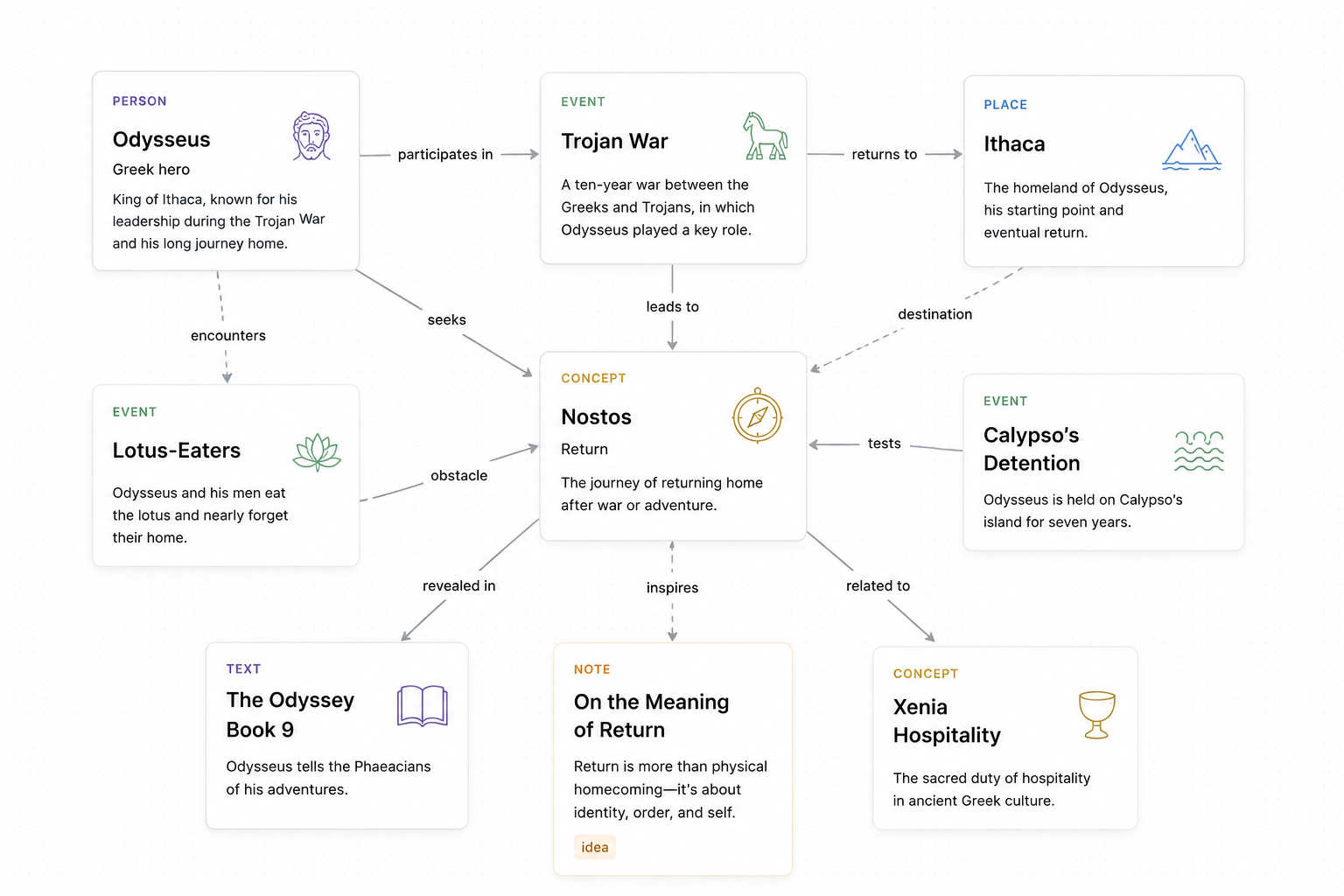
Arrange cards freely and connect ideas visually, so early thoughts can become a working research map.
 Vicovio
Open App
Vicovio
Open App
A visual workspace for reading, sources, and project context.
Create cards, connect ideas, and organize research as it grows.
Vico
“The true is the made.”
— Giambattista Vico
We understand the human world by tracing how it was made. Vicovio begins with sources, then lets you connect them in Canvas Mode, follow them through History Mode, and locate them in Map Mode.
Arrange cards freely and connect ideas visually, so early thoughts can become a working research map.
Move from the same cards into time, placing people, events, works, and readings in historical sequence.
Move from time into place, locating regions, routes, and sites while keeping every point linked to its source.
Workspace
Vicovio is not primarily a file manager. Its core is the structure inside a project: cards can be moved, linked, grouped, and expanded into bookshelves when your research needs more context.
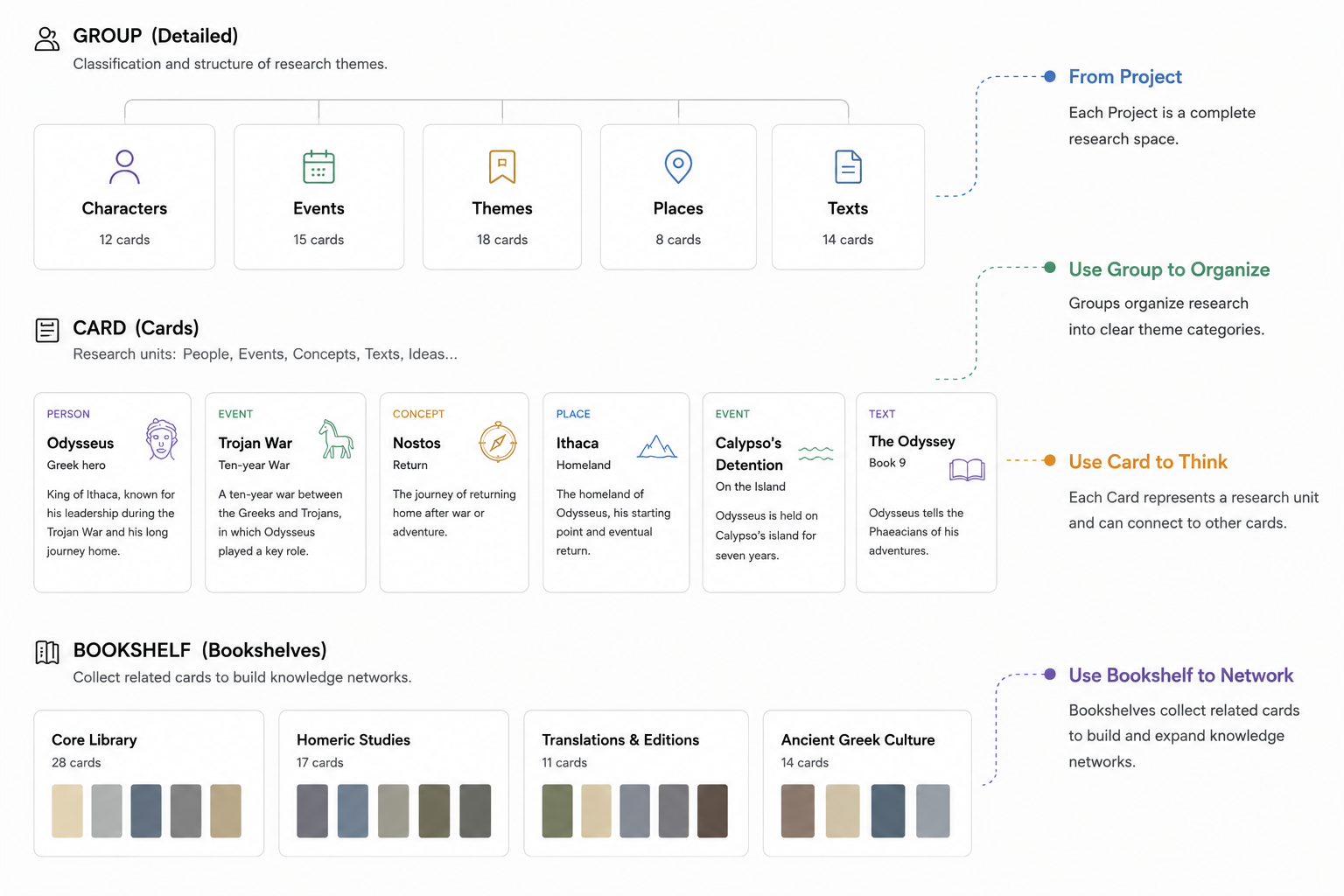
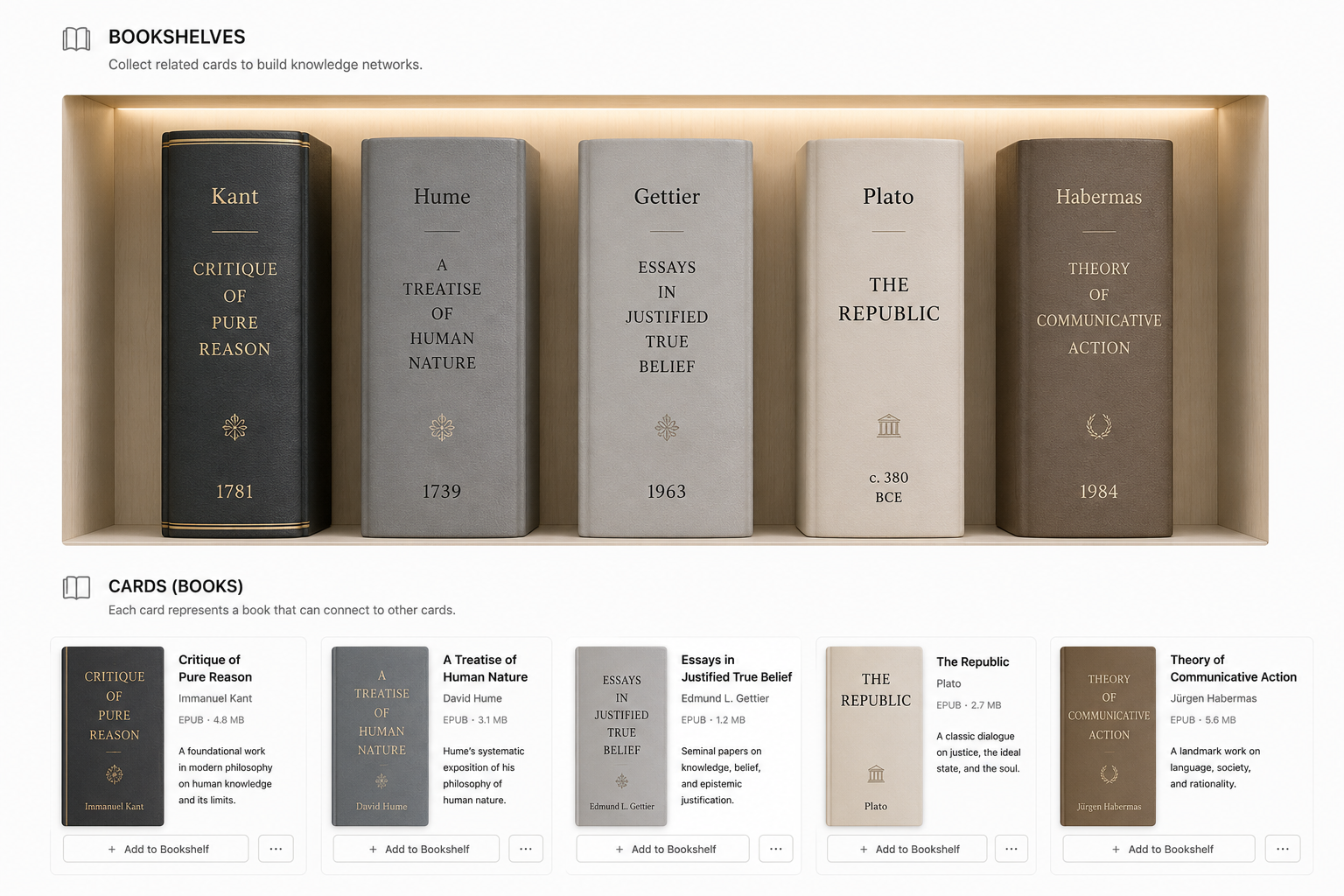
Cards / Groups / Bookshelves
Cards can stand alone, or be linked, grouped, or placed into bookshelf context. Bookshelves give readings, sources, and questions a shared structure.
How It Grows
Begin by creating cards. You do not need to learn the whole system first.
As cards form groups and patterns, related features appear step by step.
Create relationships at your own pace, as the shape of the project becomes clear.
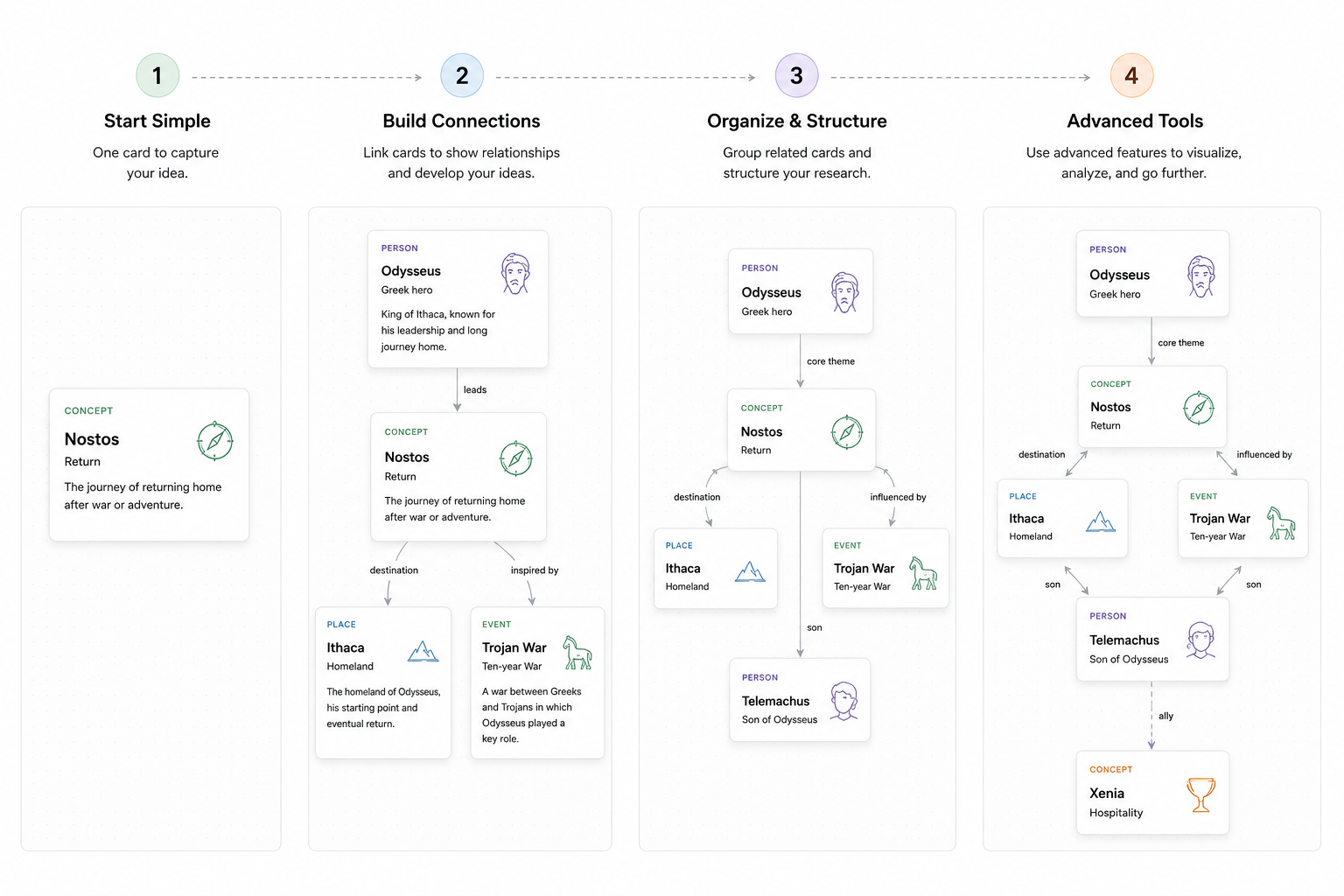
Growth Model
Vicovio starts as a clear canvas. As you build groups, bookshelves, and project context, the workspace can carry more advanced research structures.
Web App / Desktop Workspace
Best for opening quickly, creating cards, organizing projects, and using the core workspace today.
Open Web AppBest for keeping projects and attachments long term in a local folder you choose.
Mac Beta Coming Soon